

Role-based access control on the Agora Platform lets you match each teammate’s access to their role. The person who reconciles balances does not need to move funds. An external auditor should see everything and change nothing. A new analyst should be productive on day one without touching settlement configuration by accident. The access you set is enforced at the API, not just in the interface, so a role’s limits hold no matter how someone reaches Agora. This guide walks through the access controls you can set up for your organization and how to put them in place.
Everything starts on the Team page. From here you invite teammates, assign roles, check verification status, and change access whenever your team changes.
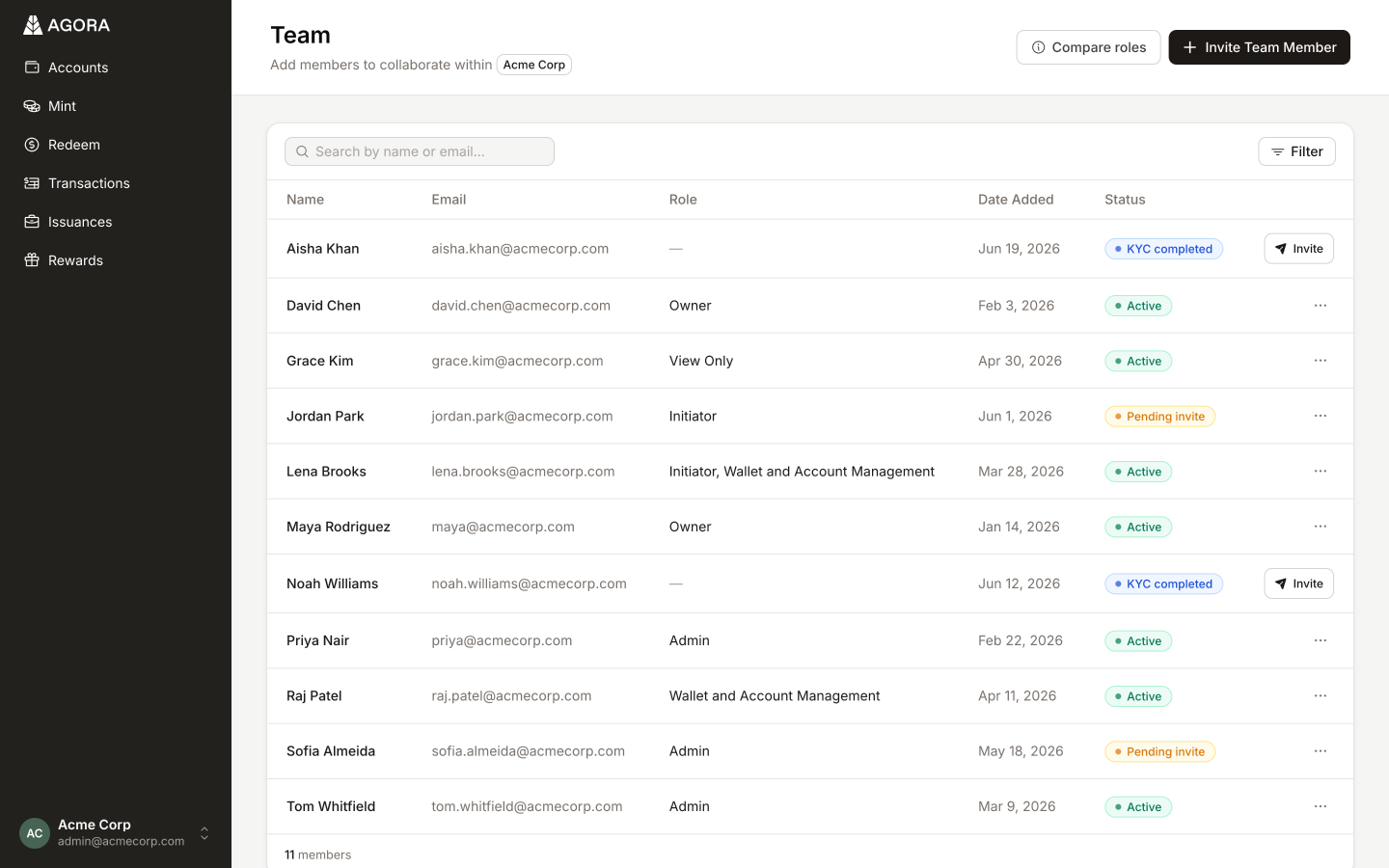
Choose the right role for each teammate
Agora ships five roles, built to map onto how finance teams divide the work. Start by deciding which one fits each person.
- Owner: Full access across every product area, including managing users and assigning roles. The only role that can remove users, bank accounts, and wallets across the organization.
- Admin: Read and write across every product area. Can invite users and assign any role except Owner.
- Initiator: Configures and initiates money movement.
- Wallet & Account Management: Adds and edits the bank accounts and wallets your money moves through.
- View Only: Read-only access across every product area. Ideal for auditors, analysts, and anyone who needs visibility without the ability to change anything.
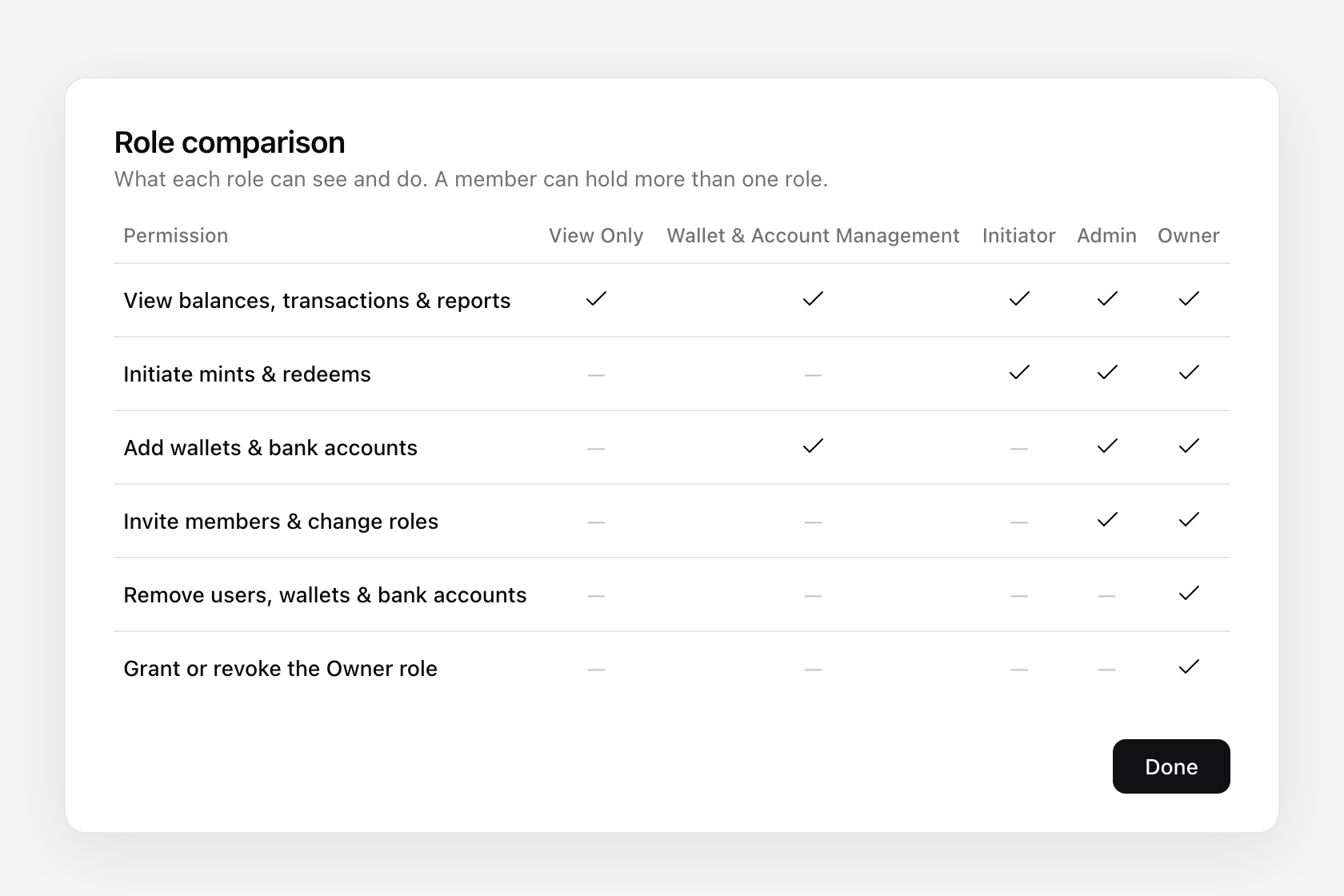
The rule of thumb: give each person the narrowest role that still lets them do their job. Roles stack, so when someone needs permissions from both roles you assign both and their access becomes the combination of the two. You can also add or remove roles as their responsibilities change.
Invite a teammate and assign their role
On the Team page, choose to invite a new teammate. Enter their email and pick their role(s) in the same step. They receive an invitation and land in the platform with the access you chose, nothing more.
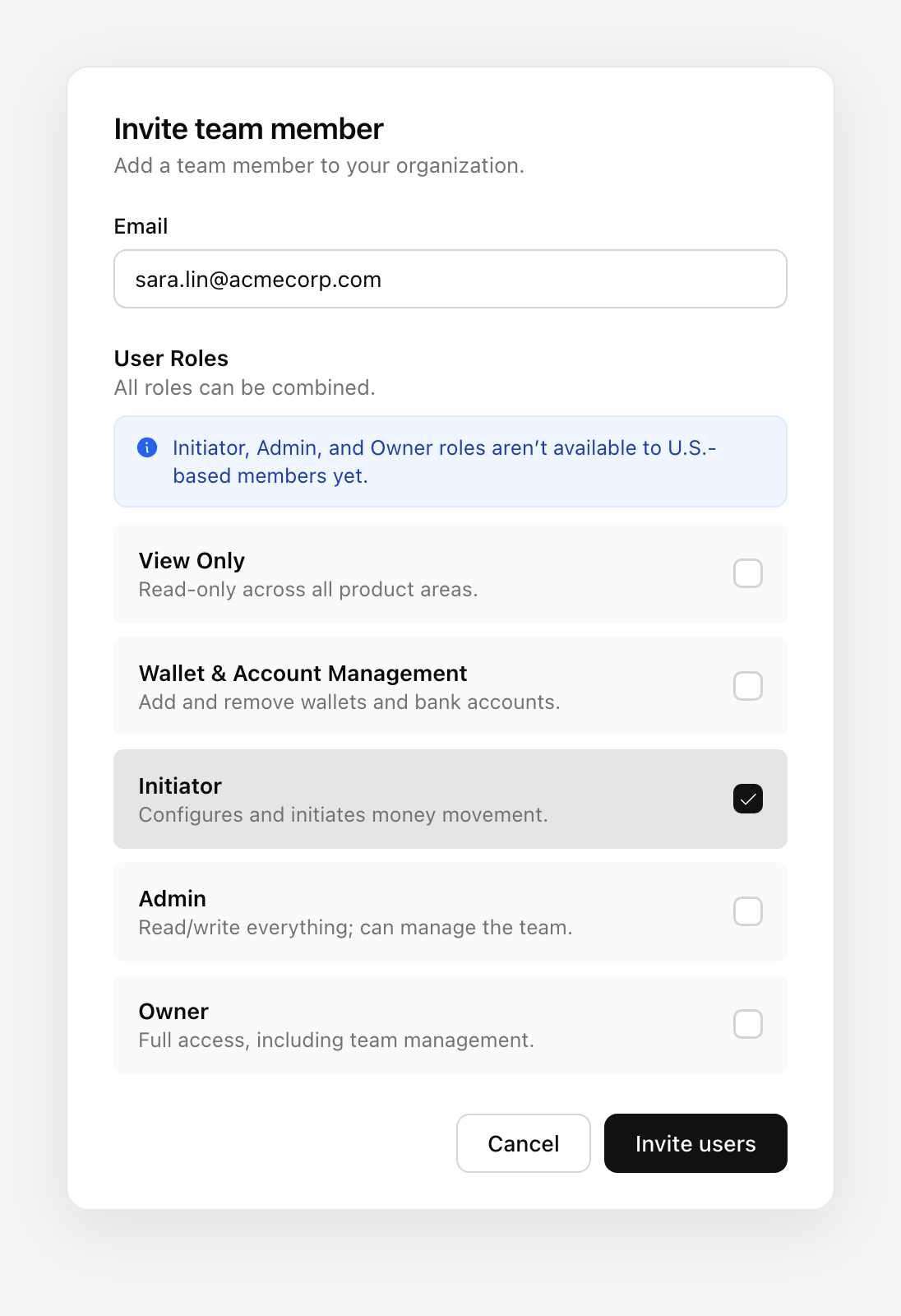
Verify identity for Owner, Admin, and Initiator
Owner, Admin, and Initiator can move money, manage bank accounts, or change who has access. Agora does not grant those roles on trust alone. When you assign one, the teammate is prompted to complete our identity verification process. The role activates once they pass, so every one of these permissions is tied to a verified individual and not just an email address.
Until they pass, nothing changes for the teammate. A newly invited colleague will have the View Only role until verified, and someone being upgraded keeps their current role(s) until they have completed their verification checks.
RBAC and the Agora API
Roles are not only for people. The same five roles apply to your API keys, so each integration gets exactly the access it needs and nothing more. Every key on the API keys page shows the roles it carries, right next to the people you manage on the Team page.
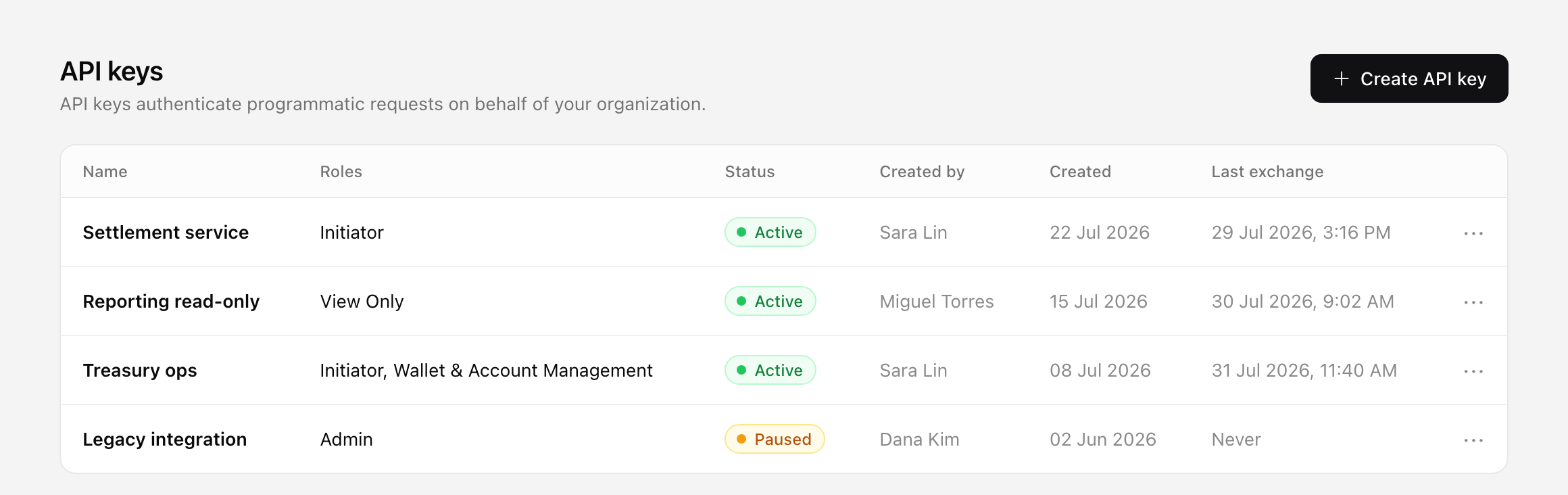
When you create an API key, you name it and choose its roles in the same step, the way you invite a teammate. A key that only reads balances gets View Only. A key that runs mints and redeems gets Initiator. If an integration is ever compromised, its access is limited to the roles you gave it, not your whole organization.
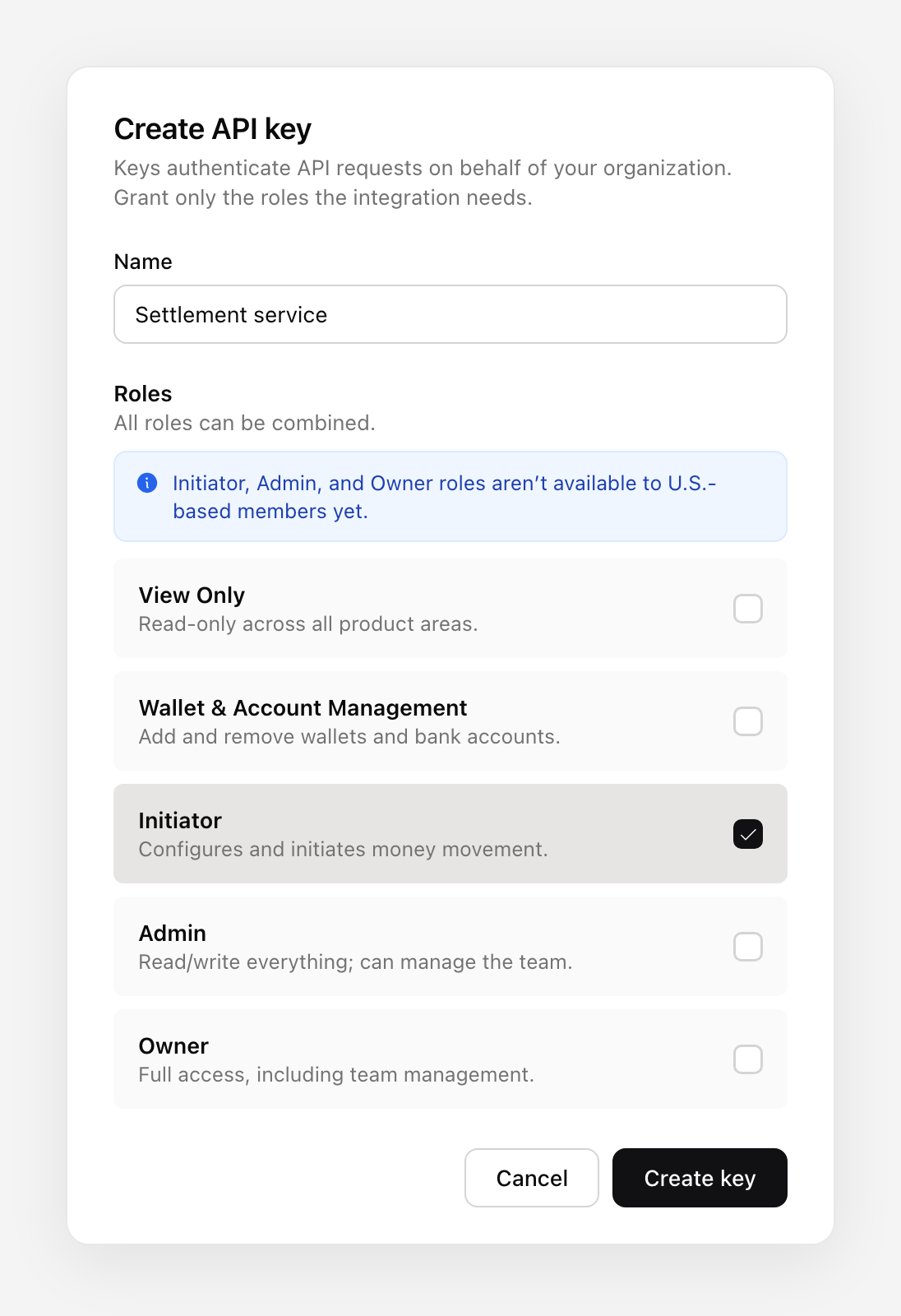
A few things to keep in mind:
- Roles combine on a key just as they do for a person. Assign as many as the integration needs.
- You can only give a key roles at or below your own highest role.
- The secret is shown once, when you create the key. Copy it then, because you cannot retrieve it later.
What it took to get here
The important part of RBAC is the part you do not see: enforcement.
It would have been easy to hide a few buttons in the interface and call it access control. That is not access control. Every permission in Agora is enforced at the API, so a restricted action is blocked at the source no matter how the request arrives. The interface reflects what you can do. The API guarantees it.
Underneath the five roles is a set of granular permissions, each one scoped to a single resource and action, like reading bank accounts versus changing them. Roles are compositions of those permissions, which is why access is additive and why we can introduce new capabilities without redesigning the model each time.
The hardest problem was turning authorization on for organizations that were already live, without interrupting anyone’s operations. We launched with default roles that preserved each teammate’s existing access, then gave every organization a grace period to move people to the right roles at their own pace.
Get started with Agora
If you are interested in using our platform and getting involved in the AUSD ecosystem, please contact our team. You can also reach out to us with any questions or feedback on X at @withAUSD, on LinkedIn at Agora, or via our website.
We’re hiring!
We are always looking for teammates who will join our journey to transform how money moves. If you are interested in learning more, take a look at our careers page.